← All articles · Photo editing course · Part 1 of 12 · about 36 min read
Photo editing course: from first open to marketplace-ready export
← All articles · Course · 12 parts · about 36 min total
Photo editing course: from first open to marketplace-ready export
Twelve short, practical parts that take you from "I opened an editor and froze" to a repeatable workflow you can run on any photo. No theory dumps, no 40-tool tours — each part solves one job and ends with a recipe you can follow from memory.
Everything runs in the free online photo editor, in your browser, without installing anything. Open it in a second tab and work through the parts in order; each one builds on the last.
What you need
- The online photo editor (free, nothing to install)
- Two or three of your own photos — one portrait, one product or object, one crooked scan
- About 36 minutes, spread over as many sittings as you like
The 12 parts
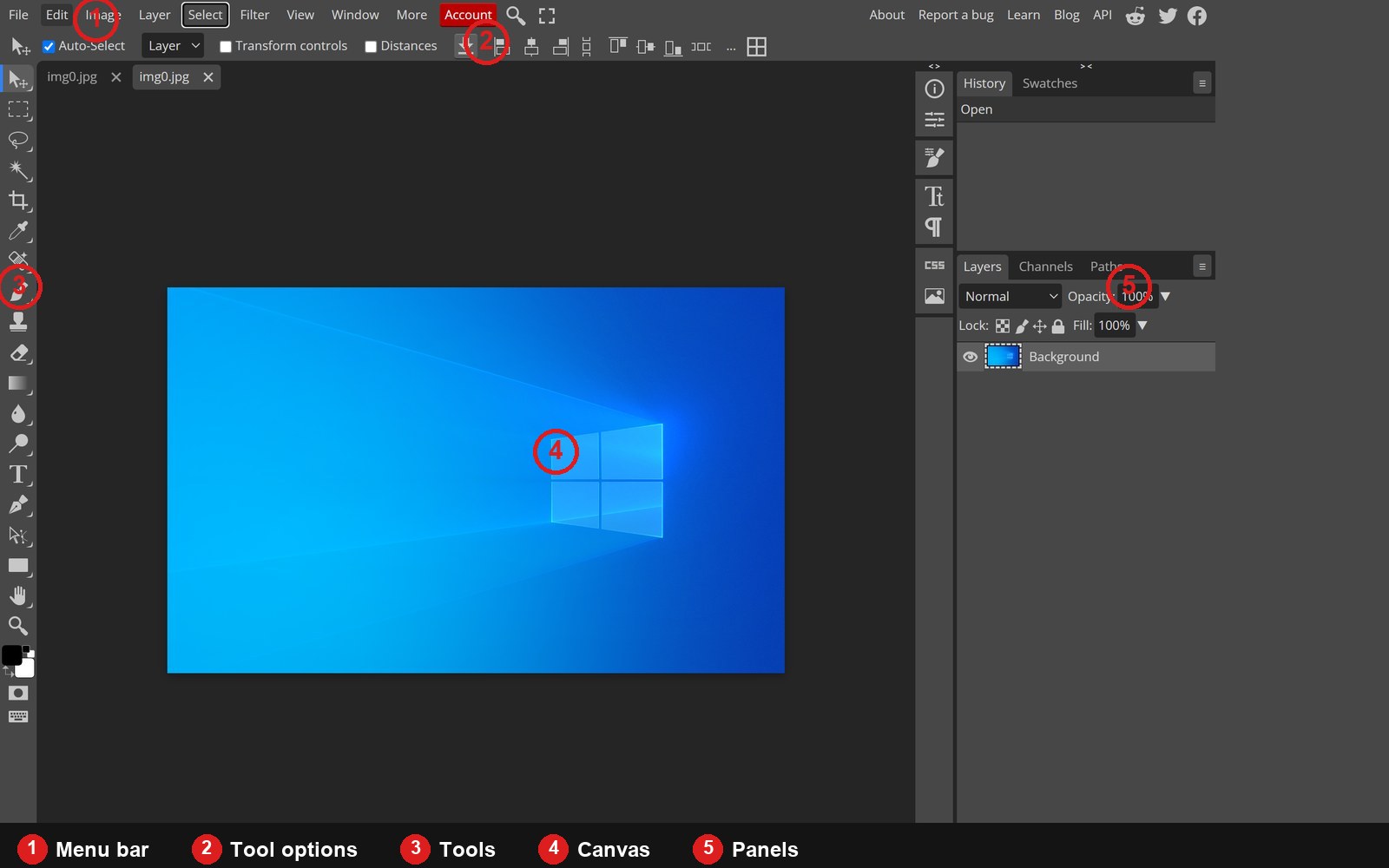
- 01The workspace, decoded: every panel and tool you actually need
- 02Opening files, and the size question that trips everyone up
- 03Crop, straighten, resize: the three moves you will make most
- 04Exposure and colour: reading the histogram, then fixing it
- 05Selections that behave: from marquee to refined edges
- 06Layers and masks: the part that makes editing non-destructive
- 07Cutting out a subject: from auto-select to a believable composite
- 08Healing and cleanup: removing what should not be there
- 09Portrait retouching: skin, eyes and teeth without the plastic look
- 10Text, shapes and watermarks: adding type that looks designed
- 11Exporting: choosing the right format and the right quality
- 12A repeatable product-photo workflow for online sellers
What you will be able to do afterwards
- Fix exposure, flat contrast and colour casts without guessing
- Crop to an exact ratio, straighten a horizon, and resize without softening
- Make a clean cutout and put a subject on a new background that looks photographed
- Retouch a portrait — or deliberately not over-retouch it
- Export the right format at the right size for web, print and marketplaces
- Repeat the whole thing consistently across a catalogue of images
If you only have five minutes
Read Part 4 (exposure and colour) and Part 11 (export). Those two fix the majority of "my photo looks wrong" and "my file is 8 MB" problems on their own.
Prefer a one-page summary of the tools instead? The introduction to the photo editor covers what the editor can do and who it is for.